Best Text to Video AI tools For Creators : We stand at a pivotal moment in creative history where the barriers between imagination and visual realization are dissolving. Text-to-video artificial intelligence represents not merely another tool in the creator’s arsenal, but a fundamental reimagining of the creative process itself. For creators—whether filmmakers, marketers, educators, or artists—this technology offers unprecedented capabilities to translate ideas directly into visual narratives without traditional production constraints. This comprehensive guide explores the landscape of text-to-video AI tools through the specific needs of creators, examining not just which platforms exist, but how they align with different creative philosophies, workflows, and professional requirements.
Section 1: Understanding the Creator’s Mindset
The Creative Translation Challenge
Every creator faces the fundamental challenge of translating internal vision into external reality. Traditional video production creates multiple translation layers: imagination to script, script to storyboard, storyboard to filming, filming to editing. Each layer introduces potential loss, compromise, or deviation from the original vision. Text-to-video AI collapses these layers into a single creative act: direct translation from linguistic description to visual narrative.
Creator Archetypes and Their AI Needs
Different creators require different capabilities:
The Narrative Storyteller: Needs character consistency, emotional resonance, and narrative coherence across time.
The Visual Artist: Prioritizes stylistic control, aesthetic innovation, and mood creation over narrative clarity.
The Educator/Explainer: Requires accuracy, clarity, and the ability to visualize abstract concepts.
The Marketer/Brand Builder: Needs brand consistency, rapid iteration, and alignment with campaign objectives.
The Social Media Creator: Demands trend responsiveness, platform optimization, and volume production capabilities.
The Philosophical Shift: From Production to Curation
AI video generation transforms the creator’s role from primarily technical executor to creative director and curator. The skill shifts from operating cameras and editing software to crafting precise descriptions, making aesthetic judgments about AI outputs, and curating the most compelling results. This represents both liberation (from technical constraints) and new responsibility (for artistic judgment in uncharted territory).
Section 2: Evaluation Framework for Creator Tools
Critical Criteria for Professional Creators
When evaluating text-to-video AI tools, creators should consider:
1. Creative Control vs. Ease of Use Spectrum:
Tools range from highly controlled (with numerous parameters) to highly automated (simple prompts yield polished results). The optimal position depends on the creator’s technical comfort and need for precision.
2. Output Quality Consistency:
Professional creators need predictable quality. Tools must deliver consistent results across generations, not just occasional spectacular outputs.
3. Style Range and Flexibility:
Can the tool adapt to different visual languages—from photorealism to various artistic styles to specific aesthetic movements?
4. Temporal Intelligence:
Does the tool understand narrative pacing, camera movement, and emotional arcs across time?
5. Integration Capabilities:
How does the tool fit into existing creative workflows and software ecosystems?
6. Ethical and Legal Frameworks:
What usage rights, attribution requirements, and content restrictions govern generated content?
7. Community and Ecosystem:
Does the tool have an active creator community for learning, collaboration, and shared development?
See More : AI tools for e-commerce product descriptions
Section 3: The Professional-Grade Platforms
1. RunwayML Gen-2: The Filmmaker’s AI Studio
Runway has positioned itself as the professional filmmaker’s AI tool, with capabilities specifically designed for narrative creation.
Creator-Centric Features:
- Director Mode: Allows specification of camera movements, angles, and shot sequences using cinematic language
- Character Consistency Tools: Early but promising tools for maintaining character appearance across shots
- Multi-Modal Input: Combine text prompts with image references, style guides, or rough sketches
- Professional Integration: Seamless workflow with editing software like Premiere Pro and DaVinci Resolve
Ideal For: Independent filmmakers, commercial directors, and narrative-focused creators who understand cinematic language and need professional-grade outputs.
Strengths: Cinematic intelligence, shot control, professional workflow integration
Limitations: Steeper learning curve, higher cost, occasional overemphasis on “film school” aesthetics
Best Application: Short films, commercial concepts, narrative sequences, proof-of-visualization
2. Pika Labs 1.5: The Storyteller’s Companion
Pika has evolved from a research project to a creator-focused platform emphasizing narrative understanding and emotional resonance.
Creator-Centric Features:
- Emotional Arc Recognition: Understands prompts like “character’s realization dawning across 5 seconds”
- Micro-Story Intelligence: Excels at complete tiny narratives within 3-5 second constraints
- Community Prompt Library: Extensive sharing of successful creative approaches
- Rapid Iteration: Quick generation times facilitate creative experimentation
Ideal For: Social media storytellers, educators, marketers, and creators focused on emotional impact in short formats.
Strengths: Narrative compression, emotional intelligence, community learning, rapid iteration
Limitations: Shorter duration limits, less cinematic control, character consistency challenges
Best Application: Social media stories, educational snippets, emotional micro-content, rapid concept testing
3. Stable Video Diffusion (via Custom Interfaces): The Artist’s Laboratory
While the underlying technology is open-source, various interfaces (like ComfyUI workflows, Automatic1111 extensions, or specialized web portals) provide access for technical creators.
Creator-Centric Features:
- Maximum Parameter Control: Adjust technical parameters rarely exposed in consumer platforms
- Model Mixing and Fine-Tuning: Combine different models or fine-tune on personal imagery
- Community Model Ecosystem: Access thousands of community-trained specialized models
- Local Installation Option: Complete control and privacy for sensitive projects
Ideal For: Technical artists, researchers, experimental creators, and those needing specific visual styles not served by mainstream platforms.
Strengths: Maximum control, style specificity, privacy, cost-effectiveness at scale
Limitations: Technical complexity, inconsistent interfaces, longer setup times
Best Application: Artistic projects, style innovation, sensitive content, large-volume generation
4. Luma Labs Dream Machine: The Quality Frontier
While relatively new, Luma has quickly gained attention for output quality and temporal stability.
Creator-Centric Features:
- Extended Coherence: Maintains consistency across longer generations than most competitors
- Physics Understanding: More realistic object interaction and movement
- Emotional Expression: Characters display appropriate facial expressions and body language
- Rapid Development: Frequent updates and feature additions based on creator feedback
Ideal For: Creators prioritizing visual quality, emotional performance, and physical realism.
Strengths: Output quality, temporal stability, emotional expression, rapid improvement
Limitations: Less style range, higher computational requirements, newer with less established workflow
Best Application: Character-focused content, product visualization, scenes requiring emotional authenticity
Section 4: Specialized Tools for Specific Creator Needs ( Best Text to Video AI tools For Creators )
For Marketing and Brand Creators:
Synthesia: While primarily for avatar videos, their expansion into scene generation offers unique brand consistency through customizable avatars and environments.
Veed.io AI: Focuses on social media optimization with automatic captioning, platform formatting, and marketing-focused templates.
For Educational Creators:
InVideo AI: Template-based approach with educational formats, automatic chapter creation, and explainer-friendly visual styles.
Pictory: Specifically designed for transforming text content (blog posts, scripts) into video summaries with educational visuals.
For Artistic and Experimental Creators:
Deforum (Stable Diffusion extension): Creates psychedelic, time-warping animations from text and parameter adjustments.
CogVideo: Specializes in more abstract, dreamlike visualizations rather than literal interpretations.
For Rapid Social Content Creation:
Canva AI Video: Integration with design ecosystem, social media templates, and brand management tools.
CapCut AI Tools: Mobile-first, trend-aware generation integrated with editing suite.
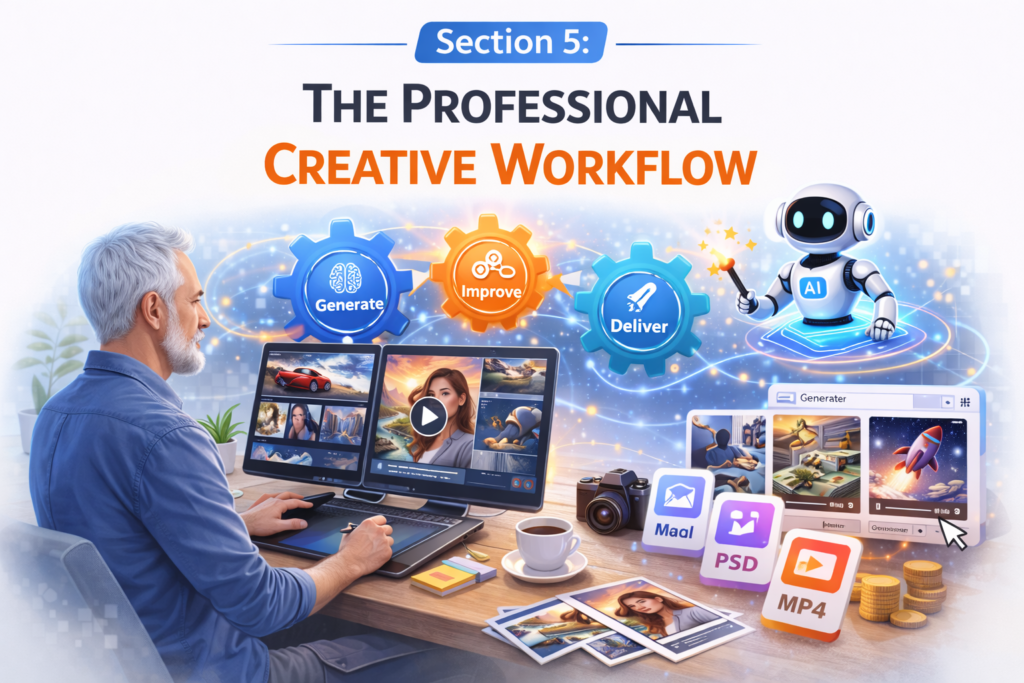
Section 5: The Professional Creative Workflow
Phase 1: Conceptualization and Pre-Visualization
Traditional: Mood boards, scriptwriting, storyboarding
AI-Enhanced: Generate multiple visual interpretations of concepts before committing to direction
Workflow Integration:
- Write scene descriptions in natural language
- Generate 5-10 visual interpretations using different style prompts
- Select and blend compelling elements from different generations
- Refine descriptive language based on what visual approaches work
- Create “visual script” combining selected AI generations with traditional storyboarding for sequences
Phase 2: Asset Creation and Generation
Traditional: Filming, animation, CGI creation
AI-Enhanced: Generating key visual elements, backgrounds, characters, or complete shots
Strategic Approach:
- Use AI for elements difficult or expensive to create traditionally
- Generate multiple options for each required element
- Curate and refine selections
- Create consistency through prompt engineering and style parameters
Phase 3: Assembly and Refinement
Traditional: Editing, color grading, effects
AI-Enhanced: Using AI tools within editing software, style transfer, enhancement
Modern Workflow:
- Assemble AI-generated elements in traditional editing software
- Use AI-powered tools within editing suites for enhancement (Adobe’s AI features, DaVinci Resolve AI tools)
- Apply consistent color grading and effects across AI and traditional elements
- Use AI for specific enhancements (upscaling, stabilization, style matching)
Phase 4: Optimization and Delivery
Traditional: Formatting, compression, platform optimization
AI-Enhanced: Automatic platform formatting, caption generation, optimization suggestions
Creator Advantage:
- AI tools that analyze content and suggest optimal platforms and formats
- Automatic generation of multiple versions for different platforms
- AI-assisted captioning and accessibility feature generation
Section 6: Advanced Prompt Engineering for Creators
The Creator’s Prompt Framework
Level 1: Foundation (The Cinematic Prompt)
Structure: [Subject] + [Action] + [Setting] + [Style] + [Technical]
Example: “A weary astronaut (subject) slowly removes helmet (action) in overgrown spacecraft interior (setting), cinematic lighting, 35mm film aesthetic (style), slow push-in, shallow depth of field (technical)”
Level 2: Emotional and Narrative (The Storyteller’s Prompt)
Adds: [Emotional State] + [Narrative Moment] + [Character Perspective]
Example: “A weary astronaut experiencing profound loneliness (emotional) at moment of giving up hope (narrative), from first-person perspective feeling the weight of isolation (perspective), slowly removes helmet in overgrown spacecraft interior, cinematic lighting, 35mm film aesthetic, slow push-in, shallow depth of field”
Level 3: Directorial (The Filmmaker’s Prompt)
Adds: [Camera Language] + [Lighting Design] + [Pacing] + [Sound Implication]
Example: “Close-up on a weary astronaut experiencing profound loneliness at moment of giving up hope, from first-person perspective feeling the weight of isolation. Dutch angle, chiaroscuro lighting with single light source from cracked viewport, pacing of slow realization (3 seconds of hesitation, 2 seconds of decision, 3 seconds of action), sound design implication of breath echoing in helmet. Slowly removes helmet in overgrown spacecraft interior, cinematic lighting, 35mm film aesthetic, slow push-in, shallow depth of field”
Level 4: Experimental (The Artist’s Prompt)
Adds: [Art References] + [Conceptual Layers] + [Style Fusion]
Example: “Francis Bacon meets Edward Hopper interpretation of a weary astronaut experiencing profound loneliness at moment of giving up hope, from first-person perspective feeling the weight of isolation. Dutch angle, chiaroscuro lighting with single light source from cracked viewport, pacing of slow realization (3 seconds of hesitation, 2 seconds of decision, 3 seconds of action), sound design implication of breath echoing in helmet. Slowly removes helmet in overgrown spacecraft interior, with visual metaphor of shedding identity represented as peeling layers of light. Fusion of Renaissance chiaroscuro with glitch art aesthetic.”
Prompt Strategy Development:
- Start simple, add complexity gradually
- Isolate variables to understand what each element contributes
- Develop personal shorthand for frequently used concepts
- Create prompt templates for recurring project types
- Document successful approaches with notes on why they worked
Section 7: Creative Applications and Case Studies
Case Study 1: Independent Short Film Pre-Visualization
Creator: Maya, independent filmmaker
Project: 15-minute sci-fi short
AI Tool: RunwayML Gen-2
Application:
- Generated 200+ shots visualizing key scenes before filming
- Tested different lighting approaches for complex interior sets
- Created alien creature concepts that informed practical effects design
- Developed visual consistency guide for CGI team
Result: 40% reduction in shooting days, clearer communication with crew, more confident directorial decisions
Case Study 2: Educational YouTube Channel
Creator: David, science educator
Project: Weekly explainer videos
AI Tool: Pika Labs + InVideo AI
Application:
- Generates visualizations of abstract scientific concepts
- Creates consistent character for host-like presence
- Produces multiple versions for different learning levels
- Automatically formats for YouTube with captions and chapters
Result: 300% increase in production output, improved viewer comprehension metrics, expanded to new complex topics
Case Study 3: Brand Social Media Campaign
Creator: Sofia, brand content director
Project: 30-day product launch campaign
AI Tool: Canva AI Video + Synthesia
Application:
- Generated 50+ product context videos showing uses in different environments
- Created consistent brand avatar for explainer content
- Produced localized versions for different markets
- Rapidly iterated on performing ad concepts
Result: Campaign produced in 3 weeks instead of 3 months, 25% higher engagement than previous campaigns, reusable asset library created
Case Study 4: Artistic Installation
Creator: Leo, digital artist
Project: Immersive gallery installation
AI Tool: Stable Video Diffusion + custom models
Application:
- Trained custom model on personal artwork style
- Generated dreamlike sequences responding to sensor input
- Created infinite variations within constrained aesthetic
- Developed unique visual language for the installation
Result: Critically acclaimed exhibition, development of signature style, gallery representation
Section 8: Ethical Creation and Professional Standards
Developing a Professional Ethics Framework
As AI tools become integral to professional creation, ethical considerations move from theoretical to practical:
1. Transparency and Disclosure:
- When must AI use be disclosed to clients, collaborators, or audiences?
- What level of AI involvement triggers disclosure?
- How does disclosure affect perceived value and authenticity?
2. Intellectual Property Navigation:
- Understanding training data sources and potential copyright implications
- Developing original styles rather than mimicking specific artists
- Navigating trademark and brand protection considerations
3. Representation and Bias Mitigation:
- Actively countering algorithmic bias in generated content
- Ensuring diverse and respectful representation
- Considering cultural context and sensitivity
4. Authenticity and Value Preservation:
- Maintaining genuine creative voice despite AI assistance
- Ensuring final product reflects human creative intention
- Preserving the value of human creativity in an AI-assisted world
Professional Best Practices:
- Document AI involvement in project deliverables
- Develop style guides that include AI usage parameters
- Establish quality thresholds regardless of creation method
- Maintain creative oversight throughout AI-assisted processes
- Continuously educate on evolving ethical considerations
Section 9: Business Considerations for Professional Creators
Pricing and Value Proposition
AI tools change creation economics:
Cost Structure Transformation:
- Reduced production costs but potential tool subscription expenses
- Changed time investment (less production, more direction/curation)
- New skill development requirements
Value Proposition Evolution:
- From “execution of vision” to “curation of possibilities”
- From “technical skill” to “creative direction and taste”
- From “resource management” to “creative optimization”
Pricing Strategy Adaptation:
- Value-based pricing focusing on creative direction rather than production hours
- Tiered offerings with different levels of AI integration
- Package pricing for AI-assisted content series
- Retainer models for ongoing AI-enhanced content creation
Client Education and Management
Most clients need education about AI-assisted creation:
Managing Expectations:
- Clarify what AI can and cannot do
- Explain the creative process and where value is added
- Set realistic quality and consistency expectations
- Provide education on ethical considerations
Demonstrating Value:
- Show process improvements and time savings
- Highlight creative possibilities previously unavailable
- Provide comparisons between traditional and AI-assisted approaches
- Share case studies and success metrics
Contract and Legal Considerations:
- Update service agreements to address AI usage
- Clarify ownership and usage rights for AI-generated elements
- Address confidentiality and data security with cloud-based tools
- Include ethical usage commitments
Section 10: Skill Development Pathway
Phase 1: Foundational Familiarity (Months 1-3)
- Experiment with 2-3 different platforms
- Master basic prompting across different tool types
- Understand each platform’s strengths and limitations
- Develop personal workflow preferences
Phase 2: Technical Proficiency (Months 4-6)
- Specialize in 1-2 platforms aligned with creative focus
- Develop advanced prompting techniques
- Learn integration with traditional creative software
- Understand technical parameters and optimization
Phase 3: Creative Mastery (Months 7-12)
- Develop signature styles and approaches
- Create sophisticated projects demonstrating skill
- Establish ethical and quality standards
- Begin teaching or mentoring others
Phase 4: Professional Integration (Ongoing)
- Integrate AI tools into professional practice
- Develop business models around AI capabilities
- Contribute to platform development and improvement
- Stay current with rapidly evolving landscape
Complementary Skill Development:
- Traditional storytelling and narrative skills
- Art direction and visual design principles
- Editing and post-production techniques
- Audience psychology and engagement strategies
- Business and client management skills
Section 11: Future Trends and Strategic Positioning
Emerging Technical Capabilities
- Long-form coherence: Narrative consistency across minutes rather than seconds
- Interactive generation: Real-time adaptation based on viewer response
- Personalized content: Adaptation to individual viewer preferences
- Cross-modal creation: Video from other inputs (audio, brain data, physiological responses)
Industry Evolution Predictions
- Professional specialization: Creators specializing in specific AI styles or applications
- Tool consolidation: Fewer, more comprehensive platforms rather than numerous specialized tools
- Regulatory frameworks: Clearer guidelines around AI creation and disclosure
- Market segmentation: Separation between consumer and professional tools
Strategic Positioning for Long-Term Success
- Develop signature style that transcends specific tools
- Master creative direction rather than just tool operation
- Build ethical framework that will remain relevant as standards evolve
- Cultivate adaptability to rapidly changing tools and capabilities
- Focus on human elements that AI cannot replicate: emotional intelligence, cultural context, ethical judgment
Section 12: Building a Sustainable Creative Practice
Work-Life Balance in AI-Assisted Creation
AI tools change creative rhythms:
New Creative Cycles:
- More rapid ideation and visualization phases
- Different balance between planning and execution
- Changed patterns of creative flow and inspiration
Avoiding Creative Dependency:
- Maintain traditional creative practices alongside AI tools
- Develop critical judgment about when AI enhances versus detracts
- Preserve personal creative voice despite algorithmic influence
- Schedule “AI-free” creative time to maintain fundamental skills
Community and Collaboration
AI tools create new collaboration possibilities:
Creator Communities:
- Share successful approaches and techniques
- Collaborate on style development and model training
- Provide critical feedback on AI-assisted work
- Advocate for creator-friendly tool development
Interdisciplinary Collaboration:
- Work with developers to improve tools
- Collaborate with researchers on creative applications
- Partner with traditional artists on hybrid projects
- Engage with ethicists on responsible creation practices
Long-Term Career Development
- Portfolio strategy: Include AI-assisted work while demonstrating broader creative range
- Specialization vs. generalization: Depth in specific AI applications versus breadth across tools
- Continuous learning: Commitment to ongoing skill development as tools evolve
- Legacy building: How will AI-assisted work be preserved and valued long-term?
Conclusion: The New Creative Partnership
Text-to-video AI tools represent not the end of human creativity, but the beginning of a new creative partnership. For professional creators, these tools offer unprecedented capabilities while demanding new skills, ethical frameworks, and creative philosophies. The most successful creators will be those who view AI not as replacement or shortcut, but as collaborator—extending creative possibilities while maintaining human vision, judgment, and soul.
The landscape evolves daily, but fundamental creative principles endure: compelling storytelling, emotional resonance, visual beauty, and authentic connection. AI tools provide powerful new ways to achieve these principles, but they cannot provide the principles themselves. That remains the creator’s domain—now expanded with remarkable new capabilities.
Begin your exploration not with mastery as goal, but with curiosity as compass. Experiment not just with technology, but with new forms of creative expression it enables. Build not just technical skill, but creative wisdom about when and how to deploy these powerful new capabilities.
The future of visual creation is being shaped by creators who understand both the remarkable potential and profound responsibility of these tools. Your unique creative voice, honed through experience and insight, combined with AI’s remarkable capabilities, can create work previously unimaginable. What will you create in this new era of expanded creative possibility? The tools await your direction, the canvas awaits your vision, and the future of creative expression awaits your unique contribution to this ongoing revolution.

2 thoughts on “Best Text to Video AI tools For Creators”