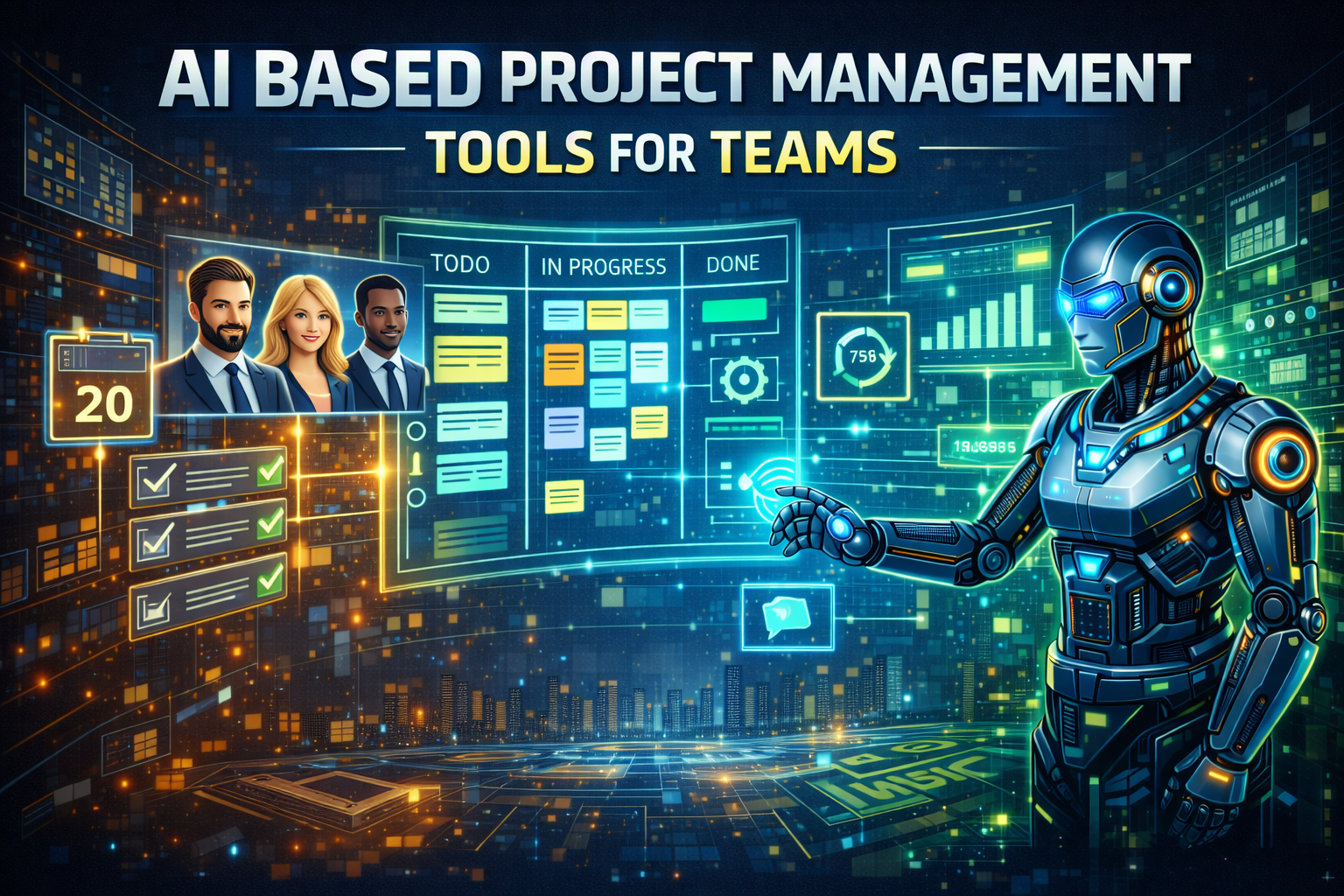
AI based project management tools for teams : For the past two decades, project management software followed a predictable but increasingly inadequate pattern. You created tasks, assigned them to people, set deadlines, and spent the rest of your time chasing status updates, rescheduling missed dates, and manually reconciling information scattered across email, chat, and spreadsheets. The software was a passive repository; the project manager was the active intelligence.
By early 2026, this model has been permanently dismantled. We have entered the era of agentic project management—systems that do not merely track work but actively orchestrate it, autonomously adjusting timelines, reassigning tasks, and surfacing risks before they become problems .
The transformation is visible across the technology landscape. Monday.com has evolved from a visual work management tool into a comprehensive Work OS where AI doesn’t just suggest improvements but executes them . ClickUp has integrated Claude AI to power real-time project insights and natural language task creation . Asana Intelligence now generates status updates, identifies bottlenecks, and suggests process improvements without human prompting . Forecast has launched an “AI Project Manager” that builds project plans from scratch, reads team availability, and automatically adapts to changes in real time .
For team leaders and project managers, this shift presents both unprecedented opportunity and significant strategic complexity. The tools profiled in this guide are no longer optional enhancements; they are operational infrastructure. The question is no longer “Should we use AI for project management?” but “Which AI capabilities do we need, and how do we integrate them into a coherent team workflow?”
This guide provides a strategic, function-by-function analysis of AI-based project management tools in 2026. It is organized not by vendor popularity but by team size and complexity: from enterprise-grade platforms that orchestrate thousands of projects to lightweight tools for small teams, from autonomous scheduling agents to predictive risk engines. Each section identifies category leaders, quantifies documented impact, and provides implementation criteria calibrated to team maturity.
Read More : AI tools for local business marketing
AI tools for dropshipping business automation
Free AI Tools for Instagram Reels Creation
AI video generator from script online free
AI tools for business branding and logo design
Part 1: The 2026 Paradigm – From Passive Tools to Active Orchestrators
The Three Generations of Project Management Software
To understand the 2026 landscape, we must distinguish between three fundamentally different approaches to project management:
Generation 1: Task Trackers (Legacy)
Traditional project management tools—spreadsheets, basic to-do lists, early digital boards—served as passive repositories for work information. They stored tasks, deadlines, and assignments but required humans to update every status, identify every risk, and communicate every change. They were systems of record, not systems of intelligence.
Generation 2: Collaborative Platforms (Recent Past)
Tools like Asana, Monday.com, and ClickUp introduced visual workflows, integrations, and automation. They reduced manual updates through notifications and basic if-then rules. However, these automations were deterministic and brittle—if a task was delayed, the system might notify someone, but it could not proactively replan dependent work or reallocate resources.
Generation 3: Agentic Project Management (2026)
The current generation is defined by agentic orchestration—systems where AI agents do not merely track work but actively participate in planning, execution, and optimization . These agents can generate complete project plans from natural language descriptions, monitor progress against baselines, predict delays before they occur, and automatically adjust schedules, assignments, and priorities to keep projects on track.
What Agentic Project Management Actually Delivers
Agentic project management systems differ from their predecessors in four critical ways:
1. Autonomous Planning
Traditional project planning requires hours of manual work: breaking down objectives into tasks, estimating durations, identifying dependencies, and sequencing work. Forecast’s “AI Project Manager” eliminates this entirely. Users describe what they need in natural language, and the AI builds a complete project plan, including tasks, milestones, timelines, and resource allocations .
2. Continuous Optimization
Rather than waiting for humans to notice problems, agentic systems continuously monitor project health. They analyze progress against plans, team velocity, resource utilization, and external factors to predict issues before they materialize. When risks are identified, they automatically propose—and in some cases execute—corrective actions .
3. Natural Language Interaction
The command-line interface of project management is dying. Modern platforms enable conversational interaction: “Show me all tasks at risk this week,” “What’s blocking the design phase?” or “Reallocate John’s time to the highest-priority items.” ClickUp’s integration with Claude AI, Asana’s AI capabilities, and Forecast’s conversational interface all support this shift .
4. Learning from History
Agentic systems analyze patterns across past projects to improve future performance. They learn which estimates were accurate, which tasks consistently caused delays, and which resource allocations led to successful outcomes. This institutional knowledge becomes embedded in the platform, not trapped in the heads of project managers who might leave .
Part 2: The Enterprise Orchestration Layer – Platforms for Scale and Complexity
Monday.com: The Work OS with Autonomous Intelligence
Monday.com has evolved from a visual project management tool into a comprehensive Work Operating System (Work OS) that powers teams across marketing, sales, engineering, and operations . Its AI capabilities are not bolt-ons but are embedded directly into the workflows where work actually happens.
What It Delivers:
AI-Powered Intake: When a request arrives—whether via email, form, or Slack—the AI automatically categorizes the request, selects the appropriate project template, assigns ownership based on capacity and expertise, and notifies all relevant stakeholders . Tasks that previously required a dedicated project coordinator are now executed autonomously in seconds.
Portfolio Management: The platform connects projects across the organization and rolls them into portfolio-level reporting, giving leaders a single view of progress, value, and ownership across hundreds of simultaneous initiatives. AI continuously analyzes portfolio health, flagging at-risk projects and surfacing resource conflicts .
Goals and OKRs: The system tracks progress toward strategic objectives and explicitly connects high-level priorities to daily execution—closing the gap between “what leadership wants” and “what teams are actually doing.” AI provides predictive insights on goal attainment, highlighting where interventions may be needed .
Documented Results:
The Forrester Total Economic Impact study commissioned by Monday.com documents less than a four-month payback period and a 346% ROI for Motorola . Gartner has named Monday.com a Leader in both the 2025 Collaborative Work Management and Adaptive Project Management and Reporting Magic Quadrants .
Pricing:
- Basic: $9 per seat monthly (annual billing)
- Standard: $12 per seat monthly
- Pro: $19 per seat monthly
- Enterprise: Custom pricing for advanced security and portfolio management
Best For: Mid-market to enterprise organizations that need to orchestrate work across multiple departments with consistent governance and visibility.
ClickUp + Claude AI: Real-Time Intelligence at Scale
ClickUp has long positioned itself as the “one app to replace them all” for project management. Its 2026 integration with Claude AI represents a significant leap forward, bringing real-time, conversational intelligence directly into the workflow .
What It Delivers:
Natural Language Task Creation: Users can create tasks, set priorities, and assign owners simply by typing or speaking. “Create a design task for the homepage refresh, assign to Sarah, due Friday” becomes an actionable item instantly .
Real-Time Project Insights: Claude AI analyzes project data to answer complex questions: “What tasks are at risk this week?” “Who has the highest workload?” “Show me all blocked items across the marketing team.” Responses include supporting data and visualizations .
Automated Status Updates: The AI generates status reports by synthesizing task progress, team updates, and milestone achievements—eliminating the manual compilation work that consumes hours of project manager time each week .
Smart Search: ClickUp’s universal search, enhanced by Claude, understands context and intent. Users can find anything across tasks, documents, comments, and files with natural language queries .
The Ecosystem Advantage:
ClickUp’s all-in-one approach means AI can reason across the complete project context—tasks, docs, chat, goals, and timelines—rather than being limited to a single data silo. This comprehensive view enables more intelligent recommendations and more accurate predictions .
Best For: Teams that want to consolidate multiple tools (docs, chat, tasks, spreadsheets) into a single platform with AI deeply integrated throughout.
Asana Intelligence: The AI Copilot for Collaborative Work
Asana has been steadily building AI capabilities into its platform, culminating in what it now calls Asana Intelligence—a suite of AI features designed to help teams move from tracking work to accomplishing goals .
What It Delivers:
Smart Status Updates: Asana’s AI generates status reports by summarizing progress on key initiatives, highlighting completed work, identifying upcoming milestones, and flagging risks. Project managers can review and customize these updates rather than building them from scratch .
Workload Balancing: The AI analyzes team capacity across projects and recommends adjustments to prevent burnout and ensure even distribution. Managers can see who has capacity for new work and who is overcommitted .
Goal Tracking: Asana Intelligence connects daily tasks to strategic objectives, automatically tracking progress and alerting leaders when projects deviate from goals .
Process Improvement Suggestions: By analyzing how teams work, the AI identifies opportunities for process optimization—suggesting templates for recurring projects, flagging redundant approval steps, or recommending automation for repetitive tasks .
Natural Language Queries: Users can ask questions like “What’s blocking the Q3 launch?” or “Show me all tasks assigned to me that are overdue” and receive immediate, accurate answers .
Best For: Teams already using Asana that want to augment their existing workflows with AI-powered insights and automation.
Forecast: The Autonomous AI Project Manager
Forecast has taken the most aggressive stance on AI autonomy among major project management platforms. Its core offering is an AI Project Manager that functions as a digital team member rather than a passive tool .
What It Delivers:
AI Project Manager: This autonomous agent builds complete project plans from natural language descriptions. It understands scope, breaks work into tasks, estimates durations based on historical data, identifies dependencies, and assigns resources according to availability and skill sets .
Real-Time Adaptation: When projects deviate from plan—a task takes longer than expected, a team member falls ill, priorities shift—the AI automatically replans dependent work, reallocates resources, and updates timelines. Project managers are notified of changes but don’t need to manually recalculate schedules .
Resource Intelligence: The platform continuously analyzes team capacity and skills, ensuring work is assigned to the right people at the right time. It predicts resource bottlenecks before they occur and suggests adjustments .
Financial Management: Forecast integrates project planning with budgeting, automatically tracking actuals against estimates and forecasting project profitability in real time .
Documented Results:
Forecast customers report significant efficiency gains: reduced planning time, more accurate estimates, and fewer schedule overruns. The AI’s ability to continuously optimize plans based on real-world execution data creates a compounding improvement cycle .
Best For: Professional services firms, agencies, and project-based organizations that need to manage complex, client-facing work with tight resource constraints.
Part 3: The SMB Layer – Lightweight AI for Growing Teams
Notion AI: The Knowledge Layer for Project Context
Notion has become the default knowledge management platform for a generation of startups and small businesses. Notion AI transforms this accumulated documentation from a static archive into an interactive project intelligence layer .
What It Delivers:
Instant Project Answers: Team members no longer search through wikis and docs; they ask questions. “What’s our process for client onboarding?” “Who is responsible for the Q3 marketing review?” “Summarize the key decisions from last week’s product meeting.” Notion AI retrieves the relevant information from your own documents and synthesizes a response .
Automated Summaries: The AI generates summaries of project pages, meeting notes, and documentation, making it easy for new team members to get up to speed or for busy managers to stay informed without reading every detail .
Action Item Extraction: From meeting notes or project documents, Notion AI identifies and extracts action items, assignments, and deadlines—automatically creating tasks that can be tracked .
Template Generation: Users can ask the AI to create project templates, meeting agendas, or documentation structures based on their specific needs .
The Security Advantage:
Notion AI operates exclusively on your organization’s proprietary knowledge. Your data never leaves your workspace and is never used to train public models. For teams working with sensitive client information or proprietary processes, this controlled, compliant environment is essential .
Best For: Small to mid-sized teams that rely on Notion for documentation and need AI to make that knowledge more accessible and actionable.
Toggl Plan: Visual Planning with AI Assistance
Toggl Plan has long been favored by small teams for its intuitive timeline view and simplicity. Its 2026 AI enhancements maintain this accessibility while adding intelligent capabilities .
What It Delivers:
Timeline Optimization: The AI analyzes project timelines and suggests adjustments to balance workload, reduce bottlenecks, and compress schedules where possible .
Capacity Forecasting: Managers can see team availability at a glance, with AI highlighting potential overload situations before they cause burnout or delays .
Progress Tracking: The system automatically tracks progress against timelines, flagging tasks that are falling behind and suggesting interventions .
Best For: Small teams that prioritize visual planning and need AI assistance without complexity.
Airtable: The Flexible Database with AI
Airtable has positioned itself as a platform where teams can build custom project management solutions tailored to their specific workflows. Its AI capabilities enhance this flexibility .
What It Delivers:
Smart Field Suggestions: When building project databases, AI suggests relevant field types and structures based on the project type .
Automated Summaries: AI generates summaries of project records, making it easy to review status at a glance .
Natural Language Queries: Users can ask questions about their project data and receive answers without building complex filters or formulas .
Custom Workflow Automation: AI helps users build automations by suggesting triggers and actions based on how they work .
Best For: Teams with unique workflows that don’t fit standard project management templates and need the flexibility to build custom solutions.
Part 4: The Developer Layer – AI-Enhanced Engineering Project Management
Jira with Atlassian Intelligence: AI for Technical Teams
For software development teams, Jira remains the dominant platform for project management. Atlassian Intelligence, integrated across Jira, Confluence, and Bitbucket, brings AI capabilities specifically tuned to engineering workflows .
What It Delivers:
Smart Issue Summaries: The AI generates concise summaries of complex tickets, making it easier for stakeholders to understand progress without diving into technical details .
Natural Language JQL: Users can query Jira using natural language—”Show me all high-priority bugs assigned to the frontend team that are overdue”—and the AI translates the request into Jira Query Language .
Automated Sprint Planning: The AI analyzes team velocity, capacity, and priorities to suggest sprint compositions that balance workload and maximize throughput .
Code-to-Task Linking: For teams using Bitbucket, the AI automatically links code changes to relevant Jira issues, maintaining traceability without manual effort .
Documented Impact:
Teams using Atlassian Intelligence report reduced time spent on administrative tasks, faster onboarding for new team members, and more accurate sprint planning .
Best For: Software development teams already invested in the Atlassian ecosystem.
Linear: AI-Native Engineering Project Management
Linear has gained significant traction among product teams for its speed and developer-friendly interface. Its 2026 AI capabilities extend its appeal .
What It Delivers:
Automatic Prioritization: The AI analyzes issue data, team capacity, and project goals to automatically prioritize work items. Engineers always know what to work on next .
Cycle Optimization: For teams working in cycles (Linear’s alternative to sprints), AI suggests cycle compositions that balance new features, bugs, and technical debt .
Dependency Detection: The AI automatically identifies and visualizes dependencies between issues, helping teams avoid integration surprises .
Natural Language Issue Creation: Users can create well-structured issues simply by describing what needs to be done .
Best For: Product and engineering teams that prioritize speed and developer experience.
Shortcut: Story-Based Project Management with AI
Shortcut (formerly Clubhouse) has built its platform around user stories and iterations. Its AI features help teams move faster while maintaining quality .
What It Delivers:
Story Estimation: The AI analyzes historical data to suggest story point estimates, reducing estimation meetings and improving accuracy over time .
Iteration Planning: The system suggests iteration compositions based on team velocity, priorities, and dependencies .
Churn Prediction: AI identifies stories at risk of churning (returning to active status after being completed) and flags them for review .
Best For: Product teams that organize work around user stories and iterations.
Part 5: The Implementation Discipline – From Adoption to Autonomy
The Integration Imperative
The single greatest cause of failed project management initiatives is not selecting the wrong tool; it is failing to connect it correctly to the systems where work actually happens. A project management platform that doesn’t integrate with your team’s communication tools, code repositories, or customer data will become an island—a place where information goes to die rather than a hub where work gets done.
Key Integration Requirements:
| Tool | Primary Integrations | Data Flow |
|---|---|---|
| Monday.com | Slack, Teams, Jira, Salesforce, HubSpot | Bidirectional sync with 50+ tools |
| ClickUp | Slack, Google Drive, Figma, GitHub, 1,000+ via Zapier | Comprehensive ecosystem |
| Asana | Slack, Teams, Outlook, Jira, Adobe Creative Cloud | Deep workflow integration |
| Forecast | Slack, Teams, Jira, QuickBooks, Salesforce | Financial + project data sync |
| Jira | Confluence, Bitbucket, Slack, Teams, GitHub | Native Atlassian ecosystem |
| Notion | Slack, GitHub, Figma, Jira | Bi-directional sync with key tools |
A 90-Day Implementation Framework
Phase 1 (Days 1-30): Audit and Selection
- Audit current project management pain points: Where is time wasted? What information is hard to find? Where do delays typically occur?
- Identify the single biggest friction point (planning, tracking, reporting, resource allocation)
- Select one tool addressing that specific challenge
- Verify integration feasibility with your existing tool stack
Phase 2 (Days 31-60): Pilot and Validation
- Deploy to a single team or project type
- Establish baseline metrics (planning time, status update effort, on-time delivery rate)
- Run the tool alongside existing processes
- Collect qualitative feedback from team members
- Measure actual improvement against baseline
Phase 3 (Days 61-90): Scale and Optimize
- If pilot demonstrates clear ROI, expand to full deployment
- Document lessons learned and refine configurations
- Train other teams on successful practices
- Establish ongoing monitoring cadence
- Begin evaluating next capability area
The Human-in-the-Loop Imperative
Even the most sophisticated AI project management systems require human oversight. As Forecast’s “AI Project Manager” demonstrates, the optimal model is one where AI handles the mechanical work of planning, scheduling, and tracking while humans focus on strategy, stakeholder management, and exception handling .
The optimal division of labor:
- AI handles: Plan generation, schedule optimization, status tracking, risk detection, resource allocation, report creation
- Humans handle: Strategic direction, stakeholder communication, team motivation, creative problem-solving, final decisions
Part 6: The Selection Matrix – Matching Tool to Team Reality
Scenario A: The Enterprise with Complex, Multi-Team Operations
Primary Need: Portfolio visibility, cross-team coordination, governance
Secondary Need: Integration with existing enterprise systems
Recommended Solution: Monday.com Enterprise or Forecast
Rationale: Monday.com’s portfolio management and governance features provide enterprise-wide visibility; Forecast’s AI Project Manager handles complex resource orchestration. Both integrate deeply with enterprise tools.
Budget Range: Enterprise pricing; $20-50 per seat monthly depending on scale.
Scenario B: The Mid-Market Company Seeking All-in-One Simplicity
Primary Need: Consolidate multiple tools into single platform
Secondary Need: AI-powered insights without complexity
Recommended Solution: ClickUp with Claude AI
Rationale: ClickUp replaces docs, tasks, chat, and spreadsheets with one platform. Claude AI provides natural language interaction and real-time insights without requiring technical expertise.
Budget Range: $7-19 per seat monthly depending on feature requirements.
Scenario C: The Professional Services Firm or Agency
Primary Need: Client project profitability, resource optimization
Secondary Need: Accurate estimating and planning
Recommended Solution: Forecast
Rationale: Forecast’s combination of project planning with financial tracking, resource intelligence, and autonomous replanning addresses the unique needs of billable work.
Budget Range: Enterprise pricing; typically $30-50 per seat monthly.
Scenario D: The Software Development Team
Primary Need: Engineering-specific workflows, code integration
Secondary Need: Agile methodology support
Recommended Solution: Jira with Atlassian Intelligence or Linear
Rationale: Jira offers comprehensive engineering features with deep Atlassian ecosystem integration; Linear provides a faster, more modern experience for product-focused teams.
Budget Range: Jira: $8-16 per user monthly; Linear: $12-20 per user monthly.
Scenario E: The Small Team (5-50 people)
Primary Need: Simplicity, quick setup, affordable pricing
Secondary Need: AI assistance without overhead
Recommended Solution: Asana or Notion AI
Rationale: Asana balances power with ease of use; Notion AI works well for teams that already use Notion for documentation and want to add lightweight project intelligence.
Budget Range: Asana: $11-25 per user monthly; Notion: $10-18 per user monthly.
Scenario F: The Startup with Unique Workflows
Primary Need: Flexibility to build custom solutions
Secondary Need: Rapid iteration and adaptation
Recommended Solution: Airtable
Rationale: Airtable’s flexible database model lets startups build exactly the project management system they need, with AI assisting in structure and automation.
Budget Range: $20-45 per seat monthly depending on scale.
Part 7: The Future Trajectory – From Orchestration to Prediction
The Agentic Horizon
The truly disruptive impact of AI in project management will be the transition from reactive to predictive orchestration. As Monday.com’s portfolio management, Forecast’s AI Project Manager, and ClickUp’s Claude integration demonstrate, the systems of 2026 are already moving in this direction.
The next frontier includes:
- Predictive Risk Management: AI that not only detects current risks but predicts future ones based on patterns from thousands of similar projects
- Autonomous Resource Allocation: Systems that continuously optimize resource assignments across the entire organization, not just within individual projects
- Learning Organizations: Platforms that capture lessons from every project and automatically apply them to improve future planning and execution
- Cross-Project Optimization: AI that balances priorities, resources, and timelines across the entire project portfolio to maximize strategic outcomes
The Strategic Imperative
For business leaders, this trajectory carries an urgent implication: the organizations that win in the next three years will be those that treat AI project management not as a tool for incremental efficiency but as a platform for strategic transformation.
They will recognize that the gap between “managing projects” and “orchestrating outcomes” is closing—and that the teams on the right side of that gap will deliver faster, adapt more quickly, and execute more reliably than those still relying on manual processes.
They will understand that AI project management is not about replacing project managers but about elevating them—freeing them from administrative overhead to focus on the strategic, creative, and human dimensions of leadership that no algorithm can replicate.
Conclusion: AI based project management tools for teams
The 2026 AI-based project management tools landscape is no longer a collection of interesting experiments. It is a mature, structured market with clear categories, proven ROI, and accelerating adoption across teams of every size.
The distinction that separates high-performing from struggling teams is no longer “Do we use project management software?” It is “Have we architected our project execution around agentic principles?”
High-performing teams do not ask “Which project management tool should we buy?” They ask “Which project workflows, if redesigned around autonomous intelligence, would deliver the greatest value in speed, quality, and predictability?”
They do not ask “How do we get our team to use this software?” They ask “How do we retrain our project managers from administrative coordinators to strategic orchestrators of AI-powered execution?”
They do not ask “Is this platform secure?” They ask “Does this platform provide the integration depth, governance controls, and explainability we need to trust autonomous project decisions?”
The platforms profiled in this guide—Monday.com for enterprise orchestration, ClickUp with Claude for all-in-one intelligence, Forecast for autonomous project management, Asana for collaborative teams, Jira for engineering, Notion for knowledge-centric teams—represent the current state of the art.
But the art is advancing rapidly. The teams that win in the next five years will be those that recognize AI project management is not a technology replacement project. It is a team transformation project. It requires rethinking not just how work is tracked, but how work is planned, how resources are allocated, how risks are managed, and how success is achieved.
The tools are ready. The integration pathways are mapped. The ROI data is unambiguous.
The only remaining variable is whether you will build this project execution architecture with strategic intention—or continue managing spreadsheets and status meetings while your competitors deploy autonomous agents that orchestrate work at machine scale.

4 thoughts on “AI based project management tools for teams”